Subz
How to create an api key⏴Back
To create an OpenSubtitles API key, follow these steps:
1. Go to the OpenSubtitles website.
2. Click on "Sign Up" to create a new account or log in if you already have one.
3. Once logged in, navigate to the "API Consumers" section of your account settings.
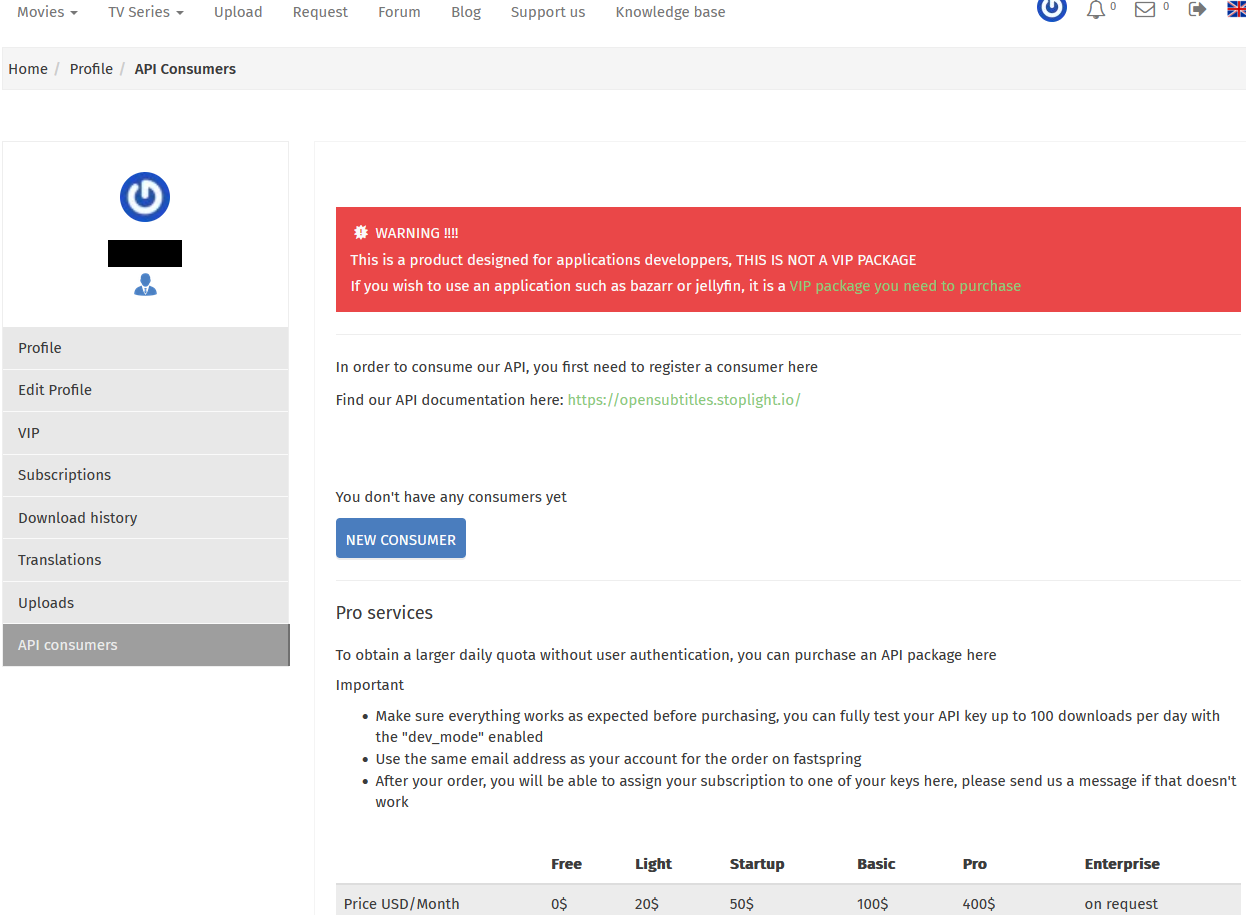
4. Then click on "New Consumer" button.
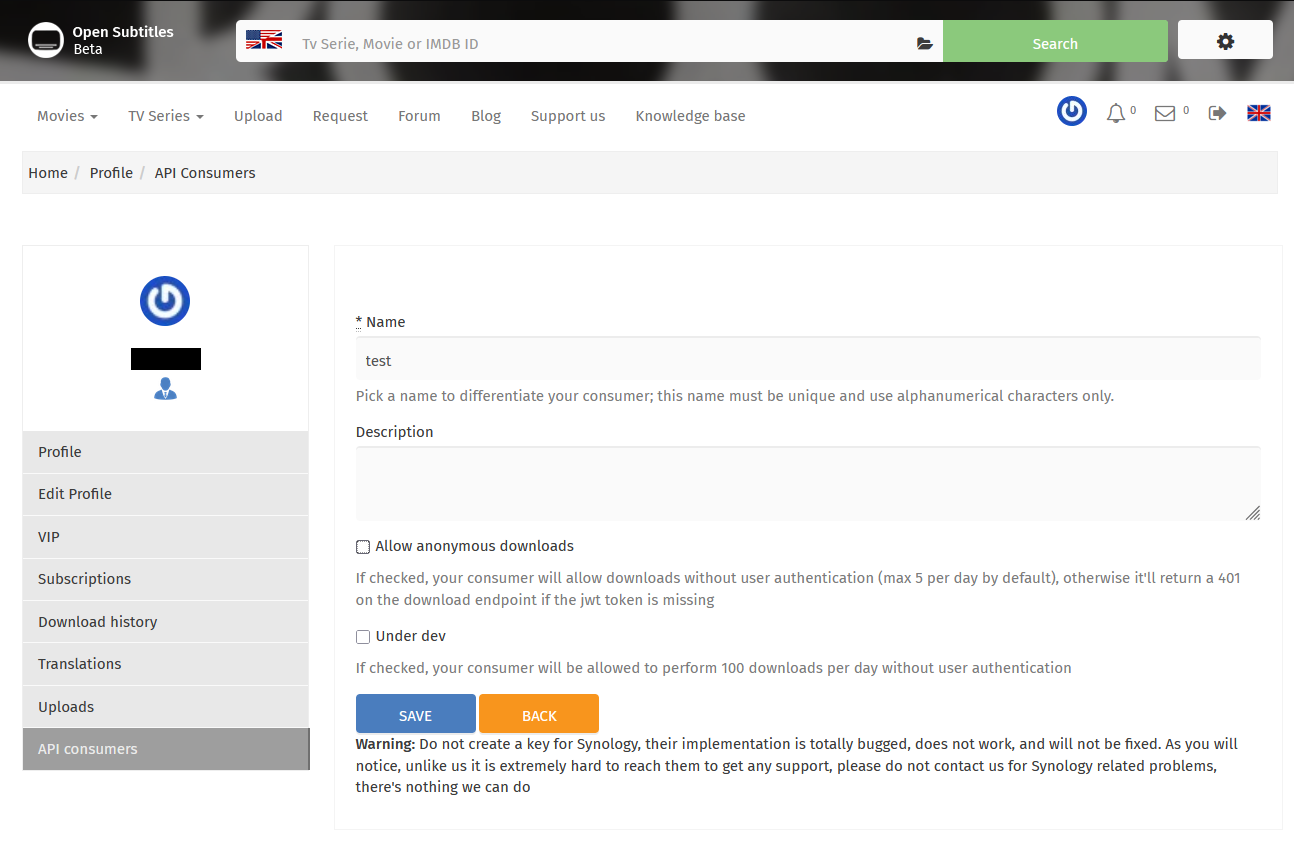
 5. Give it a name, its not important. Then uncheck "Allow anonymous downloads" box. Then click save.
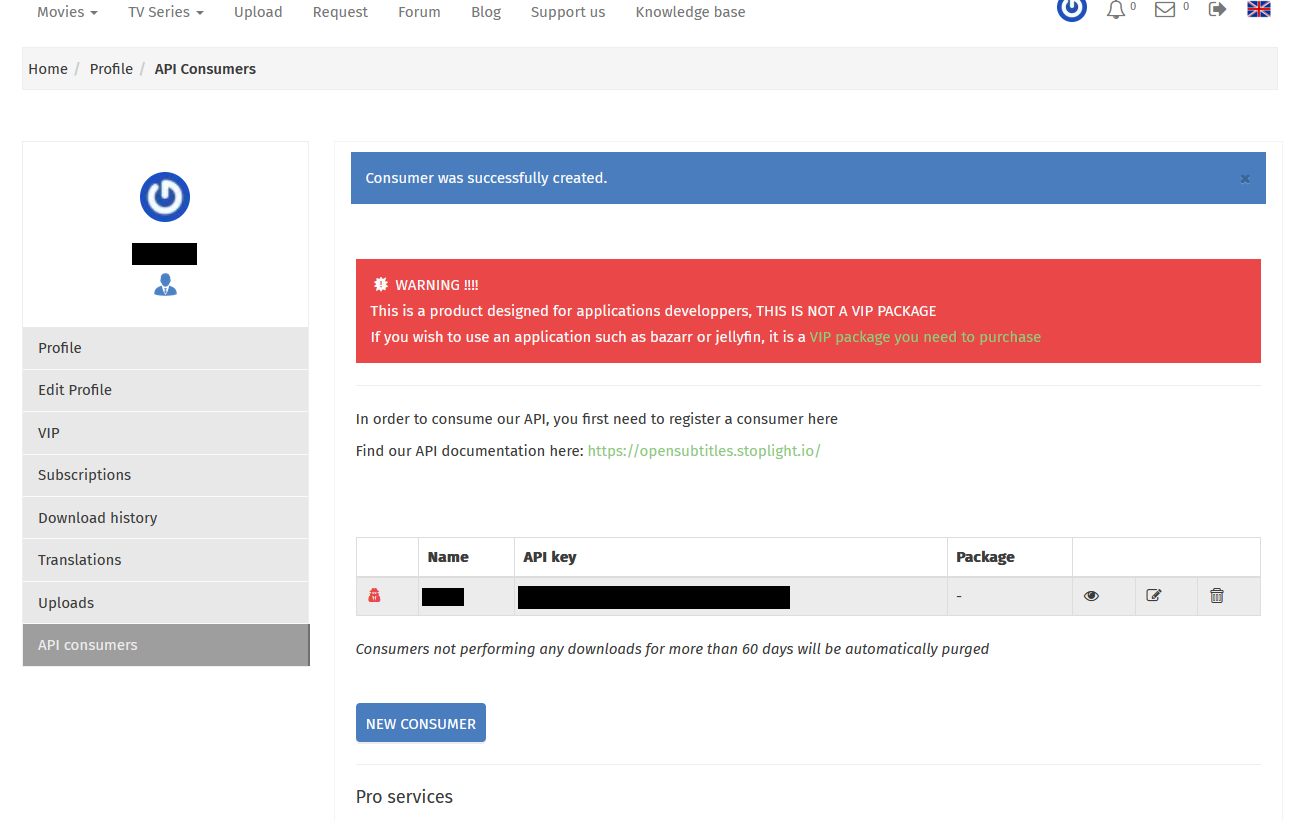
 6. Copy your api key, you are ready to use it on the addon configuration page!